


Table of Contents
In the modern age of smartphones, our devices have evolved into powerful tools that extend beyond mere communication. One of the often-overlooked features of these pocket-sized wonders is the microphone. Phone microphones have come a long way, and they are no longer just for making calls. They now play a pivotal role in various aspects of our digital lives, from recording high-quality audio to enhancing voice commands and dictation. In this comprehensive guide, we will delve into the world of phone microphones, exploring their capabilities, troubleshooting common issues, and revealing tips to maximize their potential.
Understanding Phone Microphones
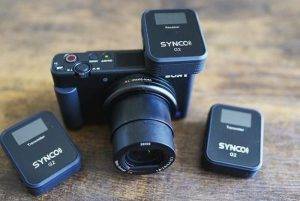
Before we dive into the details, let’s take a moment to understand the microphones found in your smartphone. Most modern smartphones are equipped with multiple microphones strategically placed for different purposes:
Primary Microphone: This is the main microphone used for phone calls, voice recording, and various audio applications. It is often located at the bottom of the phone, near the charging port.
Secondary Microphones: Many smartphones feature secondary microphones, typically used for noise cancellation, stereo audio recording, and enhancing voice commands. These microphones can be located on the top, back, or sides of the device.
Now, let’s explore how you can make the most of these microphones.
Capturing Crystal-Clear Audio
One of the standout features of phone microphones is their ability to capture clear audio. Whether you’re recording a podcast, voice memo, or live performance, here’s how to ensure your audio is crystal clear:
- Microphone Placement: Position your phone’s primary microphone close to the audio source for the best results. For example, when recording a conversation, hold the phone near the speaker’s mouth to capture their voice clearly.
- Use an External Microphone: For professional-grade recordings, consider using an external microphone that can be connected to your smartphone. These microphones can significantly enhance audio quality, especially in noisy environments.
- Optimize for Noise Reduction: Many smartphone apps offer noise reduction or background noise suppression features. Enable these settings when recording in noisy environments to minimize unwanted sounds.
Interacting with Voice Assistants
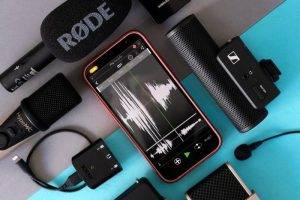
Smartphones have become increasingly integrated with voice assistants like Siri, Google Assistant, and Alexa. Here’s how to make the most of this feature:
- Voice Assistant Activation: Configure your smartphone to activate your preferred voice assistant with a simple voice command or button press. This allows for hands-free access to information, tasks, and voice searches.
- Speak Clearly and Naturally: When interacting with your voice assistant, articulate your commands clearly and use natural language. Voice recognition technology has advanced, but clarity still matters for accurate responses.
- Explore Voice Assistant Capabilities: Voice assistants can do more than answer questions. Explore their capabilities, such as setting reminders, sending messages, controlling smart home devices, and providing real-time information, to streamline your tasks.
Troubleshooting Microphone Issues
Even the most advanced smartphones can encounter microphone-related issues. If you experience problems with your phone’s microphones, here are some troubleshooting steps:
- Check for Software Updates: Ensure your smartphone’s operating system and apps are up to date, as updates can address microphone-related bugs and improve performance.
- Clean Your Microphones: Dirt, dust, or debris on the microphones can affect performance. Gently clean the microphone openings with a soft, lint-free cloth or a brush to remove any obstructions.
- Adjust Microphone Settings: Review your device’s microphone settings to ensure they are correctly configured. You can often adjust microphone input levels, noise reduction settings, and microphone sensitivity.
- Test with Voice Recording Apps: Use a voice recording app to test your phone’s microphone performance. If you notice issues, it may be related to specific apps or settings.
Enhancing Microphone Performance
To get the most out of your phone’s microphones, consider these additional tips:
- Use a Windshield: If you plan to use your smartphone outdoors for audio recording, consider investing in a foam or furry windshield. These accessories can minimize wind noise and improve audio quality.
- Experiment with Microphone Sensitivity: Some voice recording apps allow you to adjust microphone sensitivity. Experiment with these settings to find the best balance between capturing detail and avoiding distortion.
- Practice Voice Commands: To maximize efficiency when using voice assistants, practice common voice commands and shortcuts. This can save you time and frustration in daily tasks.
Transforming Voice Memos into Masterpieces
Voice memos are a versatile feature available on most smartphones. They allow you to capture your thoughts, ideas, and even musical inspirations on the go. However, with a little creativity, your voice memos can become much more than simple recordings. Here’s how to transform your voice memos into masterpieces using your phone’s microphone:
- Audio Editing Apps: Explore the world of audio editing apps available for smartphones. These apps often provide tools for trimming, merging, adding effects, and enhancing the audio quality of your voice memos. Whether you’re a musician, journalist, or podcaster, these apps can help you create professional-grade recordings.
- Musical Compositions: If you’re musically inclined, your phone’s microphone can serve as a portable studio. Use voice memos to capture melody ideas, chord progressions, or lyrics. Later, you can import these recordings into music production software to turn them into full-fledged songs.
- Soundscapes and Field Recordings: For those interested in soundscapes or field recordings, your phone’s microphone is a powerful tool. Record the sounds of nature, urban environments, or any unique audio experience. These recordings can be used in music production, film scoring, or as calming backgrounds for meditation apps.
Podcasting On the Go
Podcasting has exploded in popularity, and your smartphone’s microphone can be your ticket to becoming a podcaster on the go. Here’s how to start your podcasting journey using your phone:
- Recording Interviews: Smartphones are equipped with multiple microphones, making them ideal for recording interviews and conversations. Use voice recording apps or dedicated podcasting apps to capture your content with ease.
- Editing and Publishing: After recording your podcast episodes, you can edit them directly on your smartphone using podcast editing apps. These apps offer features like cutting, adding music, and adjusting audio levels. Once your episode is ready, you can publish it to podcast platforms right from your phone.
- Remote Podcasting: With the rise of remote work and collaboration, your phone’s microphone allows you to participate in or host remote podcasts. Use video conferencing apps to conduct interviews or discussions and record the audio using your smartphone.
Multilingual Voice Dictation
If you’re learning a new language or need to communicate in multiple languages, your phone’s microphone can be a valuable tool. Many smartphones support multilingual voice dictation, making it easier to type and communicate in different languages:
- Language Selection: Configure your phone’s keyboard settings to support multiple languages. This allows you to switch between languages seamlessly when using voice dictation or typing. Whether you’re traveling or communicating with international colleagues, this feature is incredibly useful.
- Learning Pronunciation: Learning a new language involves mastering pronunciation. Use your phone’s microphone to practice speaking in the target language. Many language learning apps provide exercises that require you to speak and receive feedback on your pronunciation.
- Translation and Interpretation: Voice recognition technology has improved language translation capabilities. Some smartphone apps can translate spoken sentences or phrases from one language to another. This feature can be a lifesaver when traveling or communicating with non-English speakers.
Related Post:
Unlocking the Potential of Supercardioid Microphones: A Comprehensive Guide
Brancher un-Micro sur iPhone: A Comprehensive Guide
Wireless Microphone for Teachers: A Comprehensive Guide
The microphones in your smartphone are versatile tools that offer exceptional audio quality, voice assistant interaction, and recording capabilities. By understanding their capabilities, troubleshooting common issues, and implementing the tips mentioned in this comprehensive guide, you can unlock the full potential of your phone’s microphones. Whether you’re making important calls, recording memorable moments, or simplifying your tasks with voice commands, your smartphone’s microphones are there to help you communicate and capture audio with clarity and precision.
As technology continues to advance, our smartphones will undoubtedly become even more powerful audio tools. Embrace these advancements and explore new ways to leverage your phone’s microphones in your daily life.
Remember, the microphone in your pocket is not just for phone calls; it’s a gateway to a world of audio possibilities.