

Table of Contents
Podcasts have surged in popularity, becoming a captivating medium for information, storytelling, and entertainment. However, the success of a podcast heavily relies on the quality of its audio. An impeccable podcast mic setup is the cornerstone of delivering crystal-clear sound, captivating your audience, and standing out in the auditory landscape.
Creating an outstanding podcast involves several crucial elements, but none are as pivotal as your microphone setup. The right combination of microphones, accessories, and setup techniques can elevate your podcast’s audio quality, professionalism, and overall appeal.
In this comprehensive guide, we’ll delve into the intricate world of podcast mic setups. From understanding microphone types to setting up your recording space, choosing the best accessories, and optimizing audio quality, we’ll cover every aspect you need to know to craft an exceptional podcasting experience.
Let’s embark on this journey to unravel the secrets of a remarkable podcast mic setup that will set your content apart and leave your listeners impressed and engaged.
Understanding Microphone Types
Microphone Choice for Podcasting: Finding the Right Fit
Selecting the right microphone for your podcast is crucial to achieving the best audio quality and enhancing your overall production. Two key considerations in this decision-making process are the microphone type (condenser vs. dynamic) and the connection type (USB vs. XLR). Let’s delve deeper into each aspect to help you make an informed decision based on your podcasting style and needs.
Condenser vs. Dynamic Microphones: Understanding the Differences
- Condenser Microphones: Condenser microphones are known for their sensitivity and ability to capture a broad range of frequencies with great detail. They are ideal for capturing nuanced and quiet sounds, making them suitable for studio environments or controlled recording spaces. However, they are more sensitive to ambient noise and may pick up background sounds, which can be a consideration in less controlled environments.
- Dynamic Microphones: Dynamic microphones are more rugged and less sensitive than condenser mics. They excel at isolating the sound source and minimizing background noise, making them a popular choice for podcasters recording in less controlled environments or live settings. Dynamic mics are also known for their durability and can handle high sound pressure levels without distortion.
Which One Suits Your Podcast Style?
-
- If you record in a quiet, controlled space and prioritize capturing the full range of your voice, a condenser microphone may be a better choice.
- For podcasters on the move or recording in environments with background noise, a dynamic microphone is often the preferred option.
USB vs. XLR Connectivity: Weighing the Pros and Cons
- USB Microphones: USB microphones offer simplicity and convenience. They can be directly connected to your computer, eliminating the need for an audio interface. USB mics are beginner-friendly and suitable for podcasters who prioritize ease of use and portability. However, they may have limitations in terms of audio quality and flexibility.
- XLR Microphones: XLR microphones require an audio interface to connect to your computer, providing greater control over your audio settings. XLR setups are favored by professional podcasters and those who prioritize audio quality and customization. They allow for the use of external audio processors and are more versatile in terms of upgrading your equipment.
Pros and Cons in Various Podcasting Scenarios:
-
- USB Microphones:
- Pros: Plug-and-play simplicity, portability, and affordability.
- Cons: Limited customization, potential for lower audio quality in professional settings.
- XLR Microphones:
- Pros: Enhanced audio quality, flexibility, and compatibility with professional audio equipment.
- Cons: Requires additional equipment (audio interface), may be more complex for beginners.
- USB Microphones:
Essential Components of a Podcast Mic Setup
Microphones: Recommendations for Different Budgets and Requirements
When diving into the world of microphones, it’s crucial to consider your budget and specific requirements to ensure you get the best audio quality for your needs. For those on a tight budget, USB microphones like the Blue Yeti or Samson Go Mic offer a cost-effective solution without compromising on sound quality. They are easy to set up and perfect for beginners or those recording in less controlled environments.
If you’re willing to invest a bit more, condenser microphones like the Audio-Technica AT2020 or the Shure SM7B are popular choices for podcasters, streamers, and musicians. These mics deliver superior sensitivity and capture a broader range of frequencies, making them ideal for studio environments or more professional setups.
For high-end users and studio professionals, there are premium options like the Neumann U87 or the AKG C414. These microphones provide unparalleled audio fidelity and are favored by recording studios and broadcast professionals worldwide. Keep in mind that they often require additional equipment, such as an audio interface, to unlock their full potential.
Pop Filters and Windscreens: Essential for Reducing Plosives and Noise
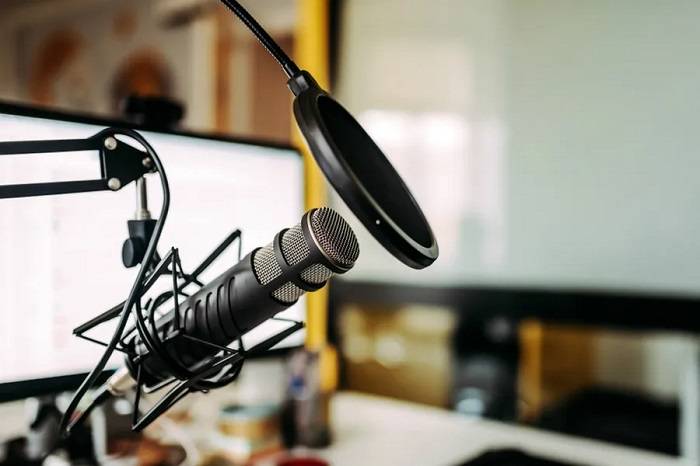
Pop filters and windscreens are indispensable accessories that help improve the quality of your recordings by minimizing unwanted sounds caused by plosives and ambient noise. Plosives are the sudden bursts of air that occur when pronouncing certain consonants like “p” and “b.” Without proper protection, these bursts can create disruptive pops in your audio.
A pop filter is a mesh or foam shield placed between the microphone and the speaker, effectively diffusing the force of plosive sounds and preventing them from reaching the microphone diaphragm. Windscreens, often made of foam or fabric, serve a similar purpose by reducing wind noise and other ambient disturbances.
Investing in a quality pop filter or windscreen, such as those from brands like Aokeo or Aokeo, is a small yet significant step toward achieving professional-sounding recordings. Whether you’re recording vocals, podcasts, or voiceovers, these accessories contribute to a cleaner and more polished final product.
Shock Mounts and Boom Arms: Enhancing Convenience and Reducing Vibrations
Shock mounts and boom arms are essential tools for improving the ergonomics of your recording setup and minimizing unwanted vibrations or handling noise. A shock mount suspends the microphone in a cradle, isolating it from vibrations and shocks that may occur from the floor or equipment.
Boom arms provide flexibility in microphone placement, allowing you to position the mic at the optimal angle for your recording. This not only improves comfort but also reduces the chances of accidentally bumping into the microphone during a session. Quality boom arms, like those from Rode or Blue Compass, are adjustable, sturdy, and capable of supporting various microphone weights.
When combined, shock mounts and boom arms create a professional and efficient recording environment. They are particularly useful for streamers, podcasters, and content creators who need a versatile and stable setup. Consider these accessories as valuable investments to elevate the overall quality of your audio recordings.
Setting Up Your Recording Space
Acoustic Treatment: Tips to minimize echoes and reverberations.
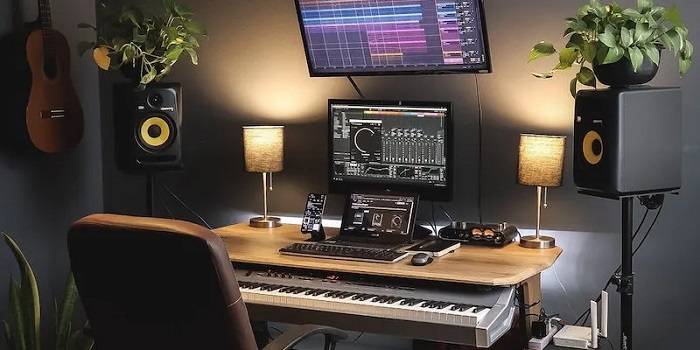
Creating an optimal acoustic environment is crucial for achieving high-quality audio recordings. To minimize echoes and reverberations in a room, strategic acoustic treatment is essential. Consider the following tips:
Bass Traps: Low-frequency sounds tend to accumulate in room corners, leading to boomy and unclear recordings. Installing bass traps in these corners helps absorb excess bass and prevents it from interfering with your recordings.
Diffusers: Diffusers scatter sound waves, reducing their intensity and preventing direct reflections. Placing diffusers strategically on walls can help create a more balanced acoustic environment.
Absorption Panels: Absorption panels are designed to absorb sound energy and reduce reflections. Placing these panels strategically on walls, ceilings, and even the floor can significantly improve the clarity of your recordings.
Ceiling Clouds: Hanging ceiling clouds are effective in minimizing reflections from the ceiling, especially in rooms with high ceilings. They absorb sound waves and prevent them from bouncing back into the recording space.
Carpeting and Rugs: Hard surfaces such as bare floors can contribute to unwanted reflections. Adding carpets or rugs helps to absorb sound and minimize reverberations, creating a more acoustically controlled space.
Curtains and Drapes: Soft furnishings like curtains and drapes can absorb high-frequency sound reflections, especially in rooms with large windows. They add a layer of absorption and contribute to a more controlled acoustic environment.
Strategic Furniture Placement: Furniture can act as natural diffusers and absorbers. Consider the arrangement of furniture in the room to break up sound waves and minimize unwanted reflections.
Ideal Room Selection: Insights on choosing the best room for recording.
Selecting the right room for recording is a critical step in ensuring high-quality audio. Here are some insights to guide you in choosing an ideal recording space:
Room Size: A room that is too small can result in a buildup of low-frequency sounds, while a room that is too large may lead to excessive reverberations. Aim for a room size that complements the type of recording you plan to do.
Ceiling Height: High ceilings can contribute to a sense of openness but may also lead to increased reflections. A room with a moderate ceiling height is often preferred for better control over acoustic characteristics.
Isolation: Choose a room that offers isolation from external noises, such as traffic, appliances, or other people. Soundproofing measures, such as double-glazed windows and insulated walls, can help create a quieter recording environment.
Shape and Symmetry: Irregularly shaped rooms can introduce acoustic challenges, so opt for a space with a more symmetrical layout. This helps in achieving a balanced distribution of sound waves, minimizing unwanted reflections.
Material Composition: The materials used in the construction of the room can significantly impact its acoustic properties. Avoid rooms with overly reflective surfaces, and opt for those with a mix of absorptive and diffusive materials.
Flexibility of Use: Consider the versatility of the room. A dedicated recording studio is ideal, but if that’s not possible, choose a room that can be adapted for recording purposes with the addition of acoustic treatment.
Ventilation and Climate Control: Ensure that the chosen room has adequate ventilation and climate control. Comfortable recording conditions contribute to better performance and prolonged recording sessions.
By combining strategic acoustic treatment with careful room selection, you can create an environment that enhances the quality of your recordings and minimizes unwanted acoustic artifacts.
Microphone Placement and Positioning
Optimal microphone placement is a critical aspect of achieving high-quality audio recordings. The positioning of a microphone plays a pivotal role in capturing sound with clarity, accuracy, and minimal unwanted noise. Two key factors that significantly influence optimal mic placement are distance and angle.
Distance: The distance between the microphone and the sound source is a crucial determinant of audio quality. In general, the closer the microphone is to the source, the stronger the signal and the better the signal-to-noise ratio. However, it’s essential to strike a balance to avoid issues such as distortion and proximity effect.
- Proximity Effect: This phenomenon occurs when a microphone is too close to the sound source, resulting in an exaggerated bass response. While this effect can be creatively used for certain applications, it may lead to muddy or boomy recordings if not managed carefully.
- Room Acoustics: Consider the acoustic characteristics of the recording environment. In larger spaces with more reverb, placing the microphone closer to the source may help minimize the impact of the room on the recording.
- Ambient Noise: Pay attention to the surrounding noise level. If the environment is noisy, positioning the microphone closer to the source can help capture a cleaner signal and reduce unwanted background noise.
Angle: The angle at which the microphone is positioned relative to the sound source is another critical factor influencing audio quality. The goal is to capture the sound with accuracy and maintain a balanced frequency response.
- On-Axis vs. Off-Axis: Understanding the concept of on-axis (directly facing the source) and off-axis (angled away from the source) microphone placement is essential. On-axis placement generally captures a more accurate representation of the sound, while off-axis positioning can be used to shape the tonal characteristics and mitigate certain issues.
- Off-Axis Coloration: Experimenting with off-axis placement can be beneficial for mitigating specific issues such as sibilance or harsh frequencies. Some microphones exhibit different frequency responses at various angles, allowing for creative tonal shaping.
- Stereo Techniques: In stereo recording setups, the angle between microphones becomes crucial. Techniques like the X-Y, ORTF, and Blumlein configurations involve specific angles and distances to achieve a balanced stereo image and soundstage.
Gain, Levels, and Monitoring
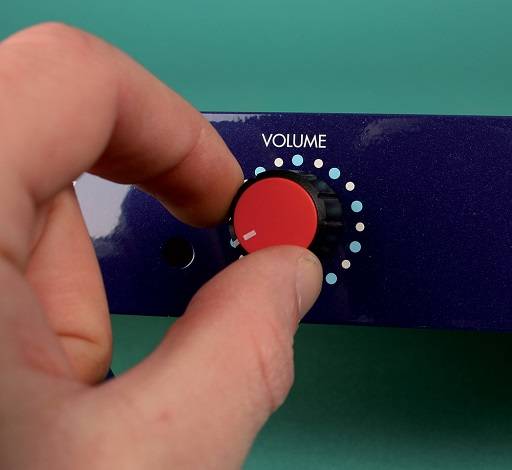
Setting the Right Gain: Avoiding distortion while ensuring sufficient volume.
Achieving the perfect balance between avoiding distortion and ensuring an adequate audio volume is crucial in professional audio recording. Distortion occurs when the audio signal is pushed beyond its capacity, resulting in a harsh, unpleasant sound. To set the right gain, start by understanding the input levels of your audio source. Adjust the gain controls on your preamp or audio interface so that the signal is strong enough to capture all the nuances without clipping or distorting.
It’s important to note that different sound sources, such as vocals, guitars, or drums, may require different gain settings. Experiment with various gain levels to find the sweet spot for each instrument or voice. Keep in mind that it’s better to err on the side of caution and record at a slightly lower volume than risking distortion.
Additionally, utilizing a pop filter and proper microphone placement can contribute to a cleaner signal, allowing you to achieve optimal gain without compromising audio quality. Regularly monitor the signal levels on your recording software or hardware meters to ensure they remain in the safe range and make adjustments as needed.
Monitoring Audio: Importance of monitoring while recording and techniques to achieve it.
Monitoring audio during recording is a critical aspect of the production process that directly impacts the quality of the final product. Effective monitoring allows you to identify and address issues in real-time, ensuring a clean and professional recording. Here are some key considerations and techniques for successful audio monitoring:
Quality Monitoring Equipment: Invest in high-quality studio monitors or headphones that accurately represent the audio signal. These tools should provide a flat frequency response to ensure that you hear the audio as it truly is without any coloration.
Acoustic Environment: Pay attention to the acoustic characteristics of your recording space. Proper acoustic treatment, such as bass traps and diffusers, can minimize reflections and resonances, providing a more accurate representation of the audio.
Balanced Mix: Aim for a balanced mix in your headphones or monitors. Ensure that all elements of the audio, such as vocals, instruments, and effects, are audible and well-balanced. This helps in making informed decisions during the recording process.
Headphone vs. Monitor Mixing: Understand the differences between mixing on headphones and studio monitors. While headphones can provide isolation and detail, monitors offer a more natural and open sound. Use both options judiciously to cross-reference your mix.
Volume Levels: Monitor at a comfortable yet realistic volume level. Excessive volume can lead to ear fatigue and poor decision-making, while excessively low volume may cause you to miss important details. Find a balance that allows for extended listening sessions without compromising accuracy.
Check for Distortion: Regularly check for any distortion or clipping in the monitored audio. If you notice any issues, revisit your gain settings and make adjustments to prevent unwanted artifacts in the recording.
Reference Tracks: Use reference tracks that are well-mixed and mastered to compare your recording against professional standards. This can help you identify areas for improvement and ensure your recording stands up to industry norms.
Troubleshooting Common Mic Issues
Dealing with Background Noise: Strategies to minimize unwanted sounds.
Effective management of background noise is crucial for achieving professional and polished audio recordings. Here are several strategies to minimize unwanted sounds:
Select a Quiet Recording Environment: Choose a quiet and controlled space for recording to minimize external noises. Opt for rooms with minimal echo and soundproofing, and avoid locations near noisy appliances or high-traffic areas.
Use Soundproofing Materials: Incorporate soundproofing elements in your recording space, such as acoustic panels, foam, or baffles. These materials help absorb and dampen sound, reducing the impact of external noises on your recordings.
Close Windows and Doors: Ensure that windows and doors are closed during recording sessions to block out external sounds like street noise, wind, or other environmental factors.
Time Recordings: Schedule recording sessions during times when ambient noise levels are naturally lower, such as early in the morning or late at night. This can help minimize interference from outside sources.
Consider Noise Reduction Software: Post-production noise reduction tools and software can be effective in minimizing background noise. These tools analyze the audio and remove or reduce unwanted sounds without compromising the quality of the main recording.
Handling Plosives and Sibilance: Tips for reducing harsh sounds during recording.
Plosives (strong bursts of air) and sibilance (hissing sounds) can be common challenges in audio recording, especially when working with vocal performances. Employ the following tips to mitigate these issues:
Use a Pop Filter: Attach a pop filter to your microphone to diffuse and disperse plosive sounds caused by strong bursts of air, such as the “p” and “b” sounds. A pop filter helps prevent these bursts from reaching the microphone diaphragm directly.
Adjust Microphone Placement: Experiment with the distance and angle of your microphone. Position it slightly off-axis from the speaker to reduce the impact of plosive and sibilant sounds. Finding the right placement can significantly improve the overall audio quality.
Choose the Right Microphone: Select a microphone with a polar pattern that minimizes sensitivity to plosives and sibilance. Cardioid microphones, for example, are less prone to capturing sounds from the sides and rear, focusing on the audio source directly in front.
Employ a De-Esser: A de-esser is a specialized audio processor designed to reduce sibilant sounds. Use a de-esser during post-production to target and attenuate excessive “s” and “sh” sounds without affecting the overall audio quality.
Experiment with Vocal Technique: Encourage speakers or vocalists to adjust their technique to minimize plosive and sibilant sounds. Simple adjustments, such as avoiding speaking directly into the microphone or adjusting pronunciation, can make a significant difference.
Upgrading Your Podcast Mic Setup
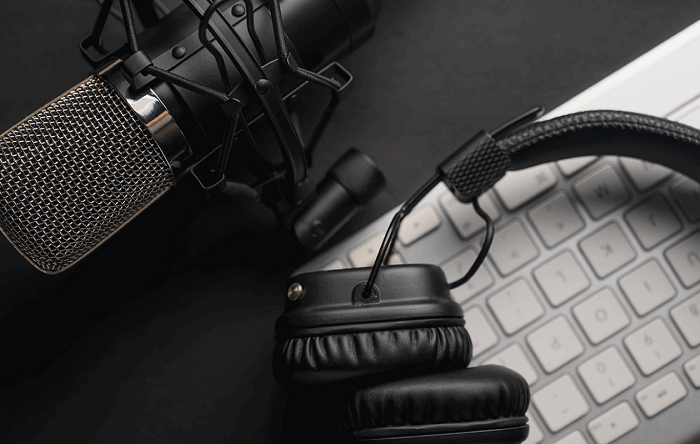
Advanced Accessories: Delving into the world of professional podcasting often involves investing in advanced accessories that can significantly enhance the quality of your audio production. Preamps, audio interfaces, and higher-end microphones are crucial components in this journey.
Preamps: Preamps, short for preamplifiers, play a crucial role in boosting the low-level microphone signals to a level that can be properly processed by recording equipment. High-quality preamps can add warmth and clarity to your audio recordings. Some podcasters opt for standalone preamps, while others choose audio interfaces with built-in preamps.
Audio Interfaces: An audio interface serves as the bridge between your microphone and your computer, ensuring that the analog signals from your mic are converted into digital data that can be processed by recording software. Advanced audio interfaces offer features like low-latency monitoring, multiple inputs and outputs, and high-resolution audio recording, contributing to a more professional podcasting setup.
Higher-End Microphones: Upgrading to a higher-end microphone can significantly enhance the audio quality of your podcast. Condenser microphones are popular for their sensitivity and ability to capture a wide range of frequencies. Dynamic microphones are known for their durability and are often favored in environments with background noise. Research and choose a microphone that suits your recording environment and voice characteristics.
Room for Growth: Podcasting is an evolving medium, and as your experience and audience grow, so should your podcast setup. Here are some strategies to future-proof your podcasting setup:
Scalable Equipment: Invest in equipment that can grow with your podcast. Choose an audio interface with expandable inputs, allowing you to connect additional microphones or instruments as needed. Ensure compatibility with future upgrades, such as higher sample rates or more advanced features.
Upgradable Software: Keep your recording and editing software up to date, and choose platforms that offer regular updates and improvements. Software upgrades can introduce new features, enhance performance, and provide better compatibility with emerging technologies.
Flexible Workspace: Design your recording space with flexibility in mind. Consider movable acoustic panels, adjustable microphone arms, and versatile furniture arrangements. This allows you to adapt to changing recording needs and accommodate guests or new equipment.
Backup Systems: Implement redundancy in your setup to mitigate the risk of technical failures. Have backup microphones, cables, and a secondary recording device on hand. This ensures that, even in the event of equipment malfunctions, you can continue producing content without significant disruptions.
Networking and Collaboration: Build relationships within the podcasting community and stay informed about industry trends. Networking can open doors to collaborative opportunities, sponsorships, and shared resources. Remaining connected to the community helps you stay abreast of new technologies and best practices, contributing to the longevity and success of your podcast.
Maintenance and Care for Your Equipment

Cleaning and Maintenance: Ensuring longevity and optimal performance of your gear is crucial for any audio professional or enthusiast. Regular cleaning helps prevent the buildup of dust, dirt, and grime that can negatively impact the performance of your microphones and accessories. It’s important to follow manufacturer guidelines for cleaning specific equipment, using recommended cleaning solutions and tools. Cleaning should be done with care to avoid damaging delicate components, such as diaphragms or connectors.
Additionally, regular maintenance checks are essential to identify any signs of wear or potential issues early on. This includes inspecting cables for fraying, checking connectors for proper contact, and ensuring that mechanical components, like shock mounts and stands, are in good working condition. Addressing any issues promptly can prevent more extensive damage and downtime in the long run.
Storage and Handling: Best practices for storing and handling microphones and accessories play a crucial role in preserving their quality and functionality. When not in use, microphones should be stored in a protective case or pouch to shield them from dust, moisture, and physical damage. It’s advisable to store microphones in a controlled environment with stable temperature and humidity levels to prevent any adverse effects on sensitive components.
Proper handling is equally important to avoid unnecessary strain or damage. When setting up or dismantling equipment, handle microphones with care, especially if they have delicate components such as shock mounts or pop filters. Using microphone clips or shock mounts can protect the microphone from vibrations and mechanical shocks during recording or live performances.
Furthermore, it’s essential to be mindful of the environment in which your gear is used. Avoid exposing microphones to extreme temperatures, direct sunlight, or excessive humidity. When transporting equipment, use padded carrying cases to provide an additional layer of protection against bumps and vibrations.
Regularly inspecting and maintaining your storage solutions, such as cases and racks, ensures that they continue to provide adequate protection. Over time, these protective measures contribute to the longevity of your gear and help maintain its optimal performance. By incorporating these practices into your routine, you can extend the lifespan of your microphones and accessories, ultimately preserving the quality of your audio recordings and performances.
Budget-Friendly Podcast Mic Setup Options
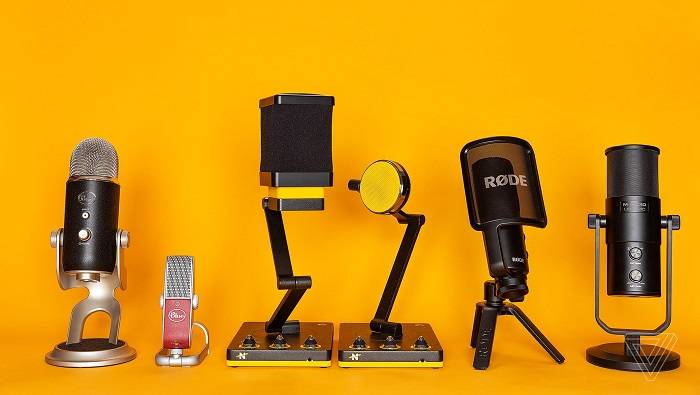
Affordable Microphone Recommendations:
Audio-Technica ATR2100x-USB:
-
- A versatile and budget-friendly microphone suitable for podcasting, streaming, and voiceovers.
- USB and XLR connectivity options for flexibility in usage.
- Features cardioid polar pattern for focused sound capture.
Blue Snowball iCE:
-
- An entry-level USB microphone ideal for beginners and casual users.
- Plug-and-play functionality for easy setup without additional drivers.
- Custom condenser capsule for clear audio reproduction.
Samson Q2U:
-
- A dynamic microphone offering both USB and XLR connections.
- Built-in headphone jack for real-time monitoring.
- Solid construction with a cardioid pickup pattern.
Fifine K669B USB Microphone:
-
- Budget-friendly USB microphone with a sleek design.
- Plug-and-play with wide compatibility for various devices.
- Cardioid polar pattern for noise reduction.
DIY Solutions to Enhance Your Setup:
Pop Filter:
-
- Use a nylon stocking stretched over a wire hanger as an improvised pop filter.
- Reduces plosive sounds and enhances overall audio quality.
Shock Mount:
-
- Craft a shock mount using rubber bands and a wire frame.
- Helps isolate the microphone from vibrations and handling noise.
Acoustic Treatment:
-
- Improve sound quality by placing pillows, cushions, or foam panels in your recording space.
- Reduces echo and unwanted background noise.
Homemade Boom Arm:
-
- Create a DIY boom arm using a desk lamp with a flexible neck or a swing-arm desk mount.
- Improves microphone positioning and frees up desk space.
DIY Windscreen:
-
- Use a foam ball or a piece of foam attached to a wire hanger as a makeshift windscreen.
- Minimizes wind noise and other unwanted ambient sounds.
Isolation Shield:
-
- Build a simple isolation shield using cardboard and foam panels.
- Helps focus the microphone on your voice and reduces external noise.
Cable Management:
-
- Keep cables organized using binder clips or cable organizers.
- Prevents tripping hazards and maintains a neat workspace.
Tips for Remote Podcast Recording
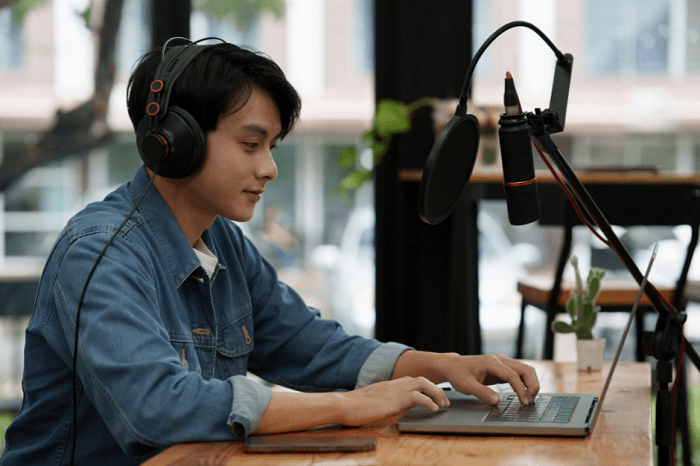
Remote Guest Setup: Ensuring Quality When Guests Record from Different Locations
In the ever-evolving landscape of remote collaborations, maintaining audio quality when guests record from diverse locations is crucial. To facilitate a seamless and professional recording experience, it is essential to focus not only on the hardware aspects but also on the software and settings employed during the remote guest setup.
Hardware Considerations:
-
- Microphones: Encourage guests to use high-quality microphones to capture clear and crisp audio. USB microphones or XLR-connected mics can offer superior sound compared to built-in laptop microphones.
- Headphones: Advise guests to wear headphones during recordings to minimize background noise and prevent audio feedback, ensuring a cleaner and more focused recording.
Acoustic Environment:
-
- Room Selection: Guide guests to choose a quiet and well-insulated room for recording. Spaces with minimal ambient noise, such as traffic or air conditioning, contribute to a better audio quality.
- Soundproofing: Suggest simple soundproofing solutions, such as using blankets or pillows, to reduce echo and external noise, ultimately enhancing the overall recording environment.
Internet Connection:
-
- Stable Connection: Emphasize the importance of a stable and high-speed internet connection to prevent disruptions during the recording process. A wired connection is preferable, but a strong Wi-Fi signal can also suffice.
Remote Recording Software:
-
- Platform Selection: Choose a reliable remote recording platform that suits your needs. Platforms like Zoom, Skype, or specialized recording tools offer features such as local recording and audio enhancements.
- Backup Options: Encourage guests to record locally as a backup even when using a collaborative platform. This ensures that there’s a high-quality recording available, especially in the case of platform-related issues.
Optimizing Software and Settings:
-
- Audio Levels: Guide guests on setting appropriate microphone levels to avoid distortion or low volume issues. Maintaining consistent audio levels across all participants enhances the overall listening experience.
- File Format and Bitrate: Specify preferred audio file formats and bitrates to maintain a balance between file size and quality. Common formats like WAV or FLAC at higher bitrates are suitable for preserving audio fidelity.
- Noise Reduction and EQ: If applicable, suggest basic noise reduction techniques and equalization settings to enhance the clarity of recorded audio. However, caution against over-processing, which may degrade the quality.
Testing and Troubleshooting:
-
- Pre-Recording Checks: Encourage guests to conduct test recordings before the actual session to identify and rectify any potential issues in advance.
- Troubleshooting Guide: Provide a troubleshooting guide that addresses common problems, such as audio dropouts or background noise, to empower guests to resolve issues independently.
Related Posts:
- Why Do Podcasters Wear Headphones: Exploring the Purpose and Importance in Recording Sessions
- Shure MV7 vs SM7B: A Comprehensive Comparison Guide for Podcasters and Streamers
- Unveiling the Shure SM7B: Understanding Phantom Power and its Role in Optimizing Performance
FAQs :
Can I start a podcast with a basic microphone?
Absolutely! Starting with a basic microphone is fine. Upgrade as your podcast grows and resources allow.
What’s the best mic for interviews?
Shotgun or lavalier mics are great for interviews due to their directional capabilities and portability.
Crafting an exceptional podcast requires dedication to every detail, and your mic setup is a pivotal element that deserves careful attention. By understanding microphone types, setting up your recording space thoughtfully, optimizing placement, and embracing maintenance practices, you can create a top-notch podcasting experience.