

Table of Contents
In the ever-evolving landscape of digital content, podcasts have emerged as a dynamic and engaging medium, captivating audiences worldwide. If you’re a Mac user looking to dive into the world of podcasting, you’re in the right place. This comprehensive guide explores the plethora of podcast software options tailored specifically for Mac users, ensuring you have the perfect tools at your fingertips to create, edit, and share your compelling audio content.
Understanding the Mac Podcasting Ecosystem
Mac podcasting software offers a plethora of features designed to enhance the podcasting experience, catering to both novice podcasters and seasoned professionals. One standout feature is the user-friendly interface that is characteristic of Mac applications. With a sleek and intuitive design, Mac podcasting software provides an accessible platform for creators to navigate effortlessly through recording, editing, and publishing processes.
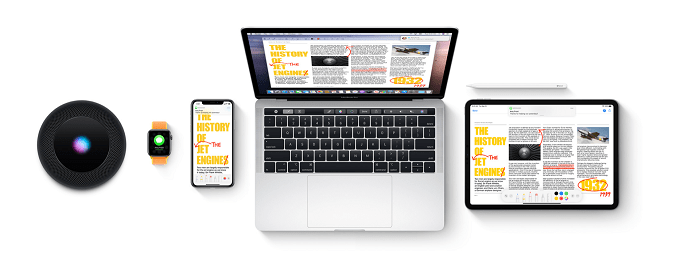
One of the key advantages of podcasting on a Mac is the seamless integration with other Apple products and services. Podcasters can leverage the ecosystem, syncing their content across devices through iCloud, ensuring accessibility and continuity whether working on a MacBook, iMac, or iPad. This interconnected environment streamlines the workflow, allowing creators to focus on content creation rather than dealing with compatibility issues.
In addition to the ease of use, Mac podcasting software is renowned for its robust editing capabilities. Advanced audio editing tools, often bundled with the software, empower podcasters to refine their recordings with precision. From removing background noise to adding professional-grade sound effects, Mac podcasting software provides a comprehensive set of features that contribute to the production of high-quality, polished content.
Furthermore, the integration of third-party plugins and extensions enhances the versatility of Mac podcasting software. Creators can customize their workflow by incorporating specialized tools for tasks like dynamic audio processing, voice modulation, or even integrating live interviews seamlessly. This flexibility allows podcasters to tailor their setup to meet the unique demands of their content and audience.
Mac podcasting software also excels in providing robust export options, supporting various file formats and compression settings. This flexibility ensures compatibility with different podcast hosting platforms and distribution channels. Whether podcasters prefer to publish their content on Apple Podcasts, Spotify, or other platforms, Mac software facilitates a smooth export process, eliminating potential headaches associated with file format issues.
As podcasting continues to evolve, Mac remains at the forefront, adapting to industry trends and embracing emerging technologies. Developers frequently update Mac podcasting software, introducing new features and optimizations to keep pace with the evolving needs of content creators. This commitment to innovation ensures that Mac users benefit from the latest advancements in podcasting technology.
GarageBand: Your Gateway to Podcast Excellence
GarageBand, a versatile and intuitive audio software developed by Apple, stands out as a powerful tool for podcasters, providing a comprehensive set of features to record, edit, and produce professional-quality podcasts effortlessly.
At the core of GarageBand’s appeal is its user-friendly interface, which is designed to cater to users of all skill levels. Whether you are a beginner experimenting with your first podcast or an experienced podcaster looking to fine-tune your production, GarageBand’s visually intuitive layout ensures a smooth and enjoyable experience. Its drag-and-drop functionality simplifies the process of importing audio files, arranging tracks, and adding effects, making it an ideal choice for those who want a seamless podcasting workflow.
Recording in GarageBand is a straightforward process, thanks to its support for multi-track recording. Podcasters can easily capture multiple audio sources simultaneously, accommodating scenarios like interviews or panel discussions. The software also offers a range of virtual instruments and pre-recorded loops, allowing podcasters to enhance their productions with background music or sound effects, further elevating the overall listening experience.
GarageBand’s editing capabilities are robust, offering precise control over audio elements. Users can effortlessly cut, trim, and arrange clips on the timeline, and the software supports automation for tasks such as volume adjustments and fade-ins/fade-outs. Additionally, GarageBand includes a set of advanced audio processing tools, such as equalization, compression, and noise reduction, enabling podcasters to achieve a polished and professional sound without the need for third-party plugins.
For those who wish to add a creative flair to their podcasts, GarageBand integrates seamlessly with other Apple products. Podcasters can take advantage of Logic Remote, an app that turns an iPad or iPhone into a control surface for GarageBand, providing a tactile and hands-on approach to manipulating the software. This integration fosters a dynamic and interactive podcasting environment.
GarageBand’s compatibility with third-party plugins further extends its capabilities. Podcasters can explore a wide range of additional audio effects, virtual instruments, and processing tools to tailor their productions to specific preferences or genres. This flexibility makes GarageBand a valuable tool for podcasters seeking to experiment with different sounds and styles.
The software’s export options are also noteworthy. GarageBand supports various file formats, making it easy to share podcasts across different platforms and services. Whether publishing on Apple Podcasts, Spotify, or other hosting platforms, GarageBand ensures that your content is ready for distribution with just a few clicks.
Audacity for Mac: Open-Source Podcasting Brilliance

Audacity, a widely acclaimed open-source podcasting solution available for Mac, provides podcasters with a powerful and versatile platform for creating audio content. Renowned for its robust feature set, Audacity stands out as an accessible yet sophisticated tool, making it an ideal choice for both beginners and seasoned podcasters.
One of Audacity’s standout features is its multi-track editing capability. This allows podcasters to work with various audio elements simultaneously, facilitating the creation of complex and layered productions. Whether you’re conducting interviews, incorporating music, or adding sound effects, Audacity’s intuitive interface empowers users to arrange and manipulate multiple tracks with ease, providing a dynamic and immersive podcasting experience.
Audacity boasts an extensive array of effects and processing tools that rival those found in premium audio software. From basic functions like equalization and noise reduction to more advanced features such as pitch shifting and time-stretching, Audacity equips podcasters with the tools needed to achieve professional-level audio quality. The software also supports third-party plugins, further expanding its capabilities and allowing users to explore additional effects and enhancements.
One key advantage of Audacity is its open-source nature, fostering a vibrant and supportive community of users. This community-driven approach ensures a wealth of online resources, tutorials, and forums where podcasters can seek advice, share tips, and troubleshoot issues. This collaborative environment makes Audacity an excellent choice for those who value a sense of community and appreciate the opportunity to learn from others in the podcasting space.
Audacity’s compatibility with various audio file formats enhances its versatility, allowing podcasters to seamlessly import and export content. This flexibility is particularly valuable when collaborating with other creators or distributing podcasts across different platforms. Additionally, Audacity supports exporting to popular podcast-friendly formats, ensuring compatibility with hosting services and streaming platforms.
Despite its feature-rich nature, Audacity remains free and open-source, making it an accessible choice for podcasters on a budget. This democratization of audio production tools aligns with Audacity’s commitment to providing creators with the tools they need to bring their podcasting visions to life, without financial barriers.
Logic Pro X: Elevating Your Podcast to Pro Levels

Logic Pro X, the flagship digital audio workstation (DAW) from Apple, emerges as a game-changer for podcasters aspiring to achieve professional-grade production quality on the Mac platform. Tailored for both music producers and podcast creators, Logic Pro X offers a comprehensive suite of advanced audio editing, virtual instruments, and mixing capabilities that set it apart as a powerhouse in the podcasting realm.
One of the standout features of Logic Pro X is its advanced audio editing capabilities, providing podcasters with a level of precision and control that is essential for achieving broadcast-quality content. The software’s intuitive interface allows for seamless waveform editing, making it easy to cut, trim, and arrange audio clips with pixel-perfect accuracy. Logic Pro X supports multi-track editing, enabling podcasters to work with multiple audio sources simultaneously and ensuring a smooth and efficient editing workflow.
For those looking to elevate their podcasts with music or ambient soundscapes, Logic Pro X offers an extensive library of virtual instruments. From realistic virtual pianos and guitars to synthesizers and percussion, podcasters can enhance their productions with high-quality, customizable musical elements. This capability is especially valuable for podcasters aiming to create immersive storytelling experiences or those seeking to incorporate theme music and transitions seamlessly into their episodes.
The mixing capabilities of Logic Pro X further contribute to its status as a professional-grade podcasting tool. The software provides a comprehensive set of audio processing tools, including EQ, compression, and reverb, enabling podcasters to achieve a polished and balanced sound. Logic Pro X also supports automation, allowing creators to fine-tune volume levels, add fades, and create dynamic shifts in their audio productions. The software’s mixer interface is designed for efficiency, providing a visual representation of each track’s parameters and facilitating precise control over the final mix.
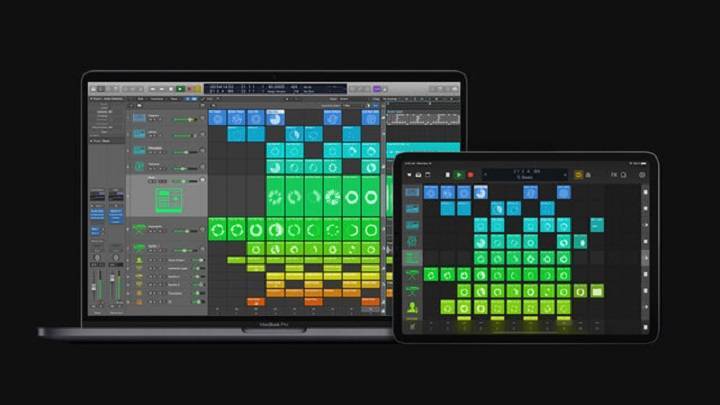
Logic Pro X integrates seamlessly with other Apple products and services, enhancing the overall podcasting experience for users within the Apple ecosystem. The software is optimized for Mac hardware, ensuring optimal performance and stability. Additionally, Logic Remote, an iOS app, allows podcasters to control Logic Pro X wirelessly, providing a convenient and tactile way to manipulate the software while recording or editing.
While Logic Pro X is a premium software with a price tag, its extensive feature set justifies the investment for podcasters seeking professional-grade production capabilities. Regular updates and expansions to the software’s library of virtual instruments and effects keep Logic Pro X at the forefront of audio production technology, ensuring that users have access to the latest tools and innovations in the field.
Hindenburg Journalist: Podcasting for Journalistic Excellence

Hindenburg Journalist is a dedicated podcasting tool specifically tailored for journalists, offering a unique set of features designed to streamline the podcasting process, particularly for news and storytelling content creators. The software’s focus on providing a seamless and intuitive experience sets it apart in the realm of podcast production.
At the heart of Hindenburg Journalist is its user-friendly interface, which is designed with journalists in mind. The software emphasizes simplicity without compromising on functionality. Its intuitive layout allows users to navigate effortlessly through the recording, editing, and production stages, enabling journalists to focus on their content without getting bogged down by complex technicalities.
One of the standout features of Hindenburg Journalist is its automated audio levels and EQ processing. The software employs advanced algorithms to analyze and adjust audio levels, ensuring consistent volume levels across different clips. This automated process is particularly beneficial for journalists who need to produce content quickly and want to maintain a professional and polished sound without spending extensive time on manual adjustments.
Hindenburg Journalist also excels in providing specialized tools for spoken-word content. The software includes features such as a voice profiler, which automatically adjusts the EQ settings based on the characteristics of the speaker’s voice. This attention to detail enhances the overall audio quality, making it well-suited for news reporting and narrative storytelling where clear and articulate speech is crucial.
Collaboration is made seamless with Hindenburg Journalist’s project management capabilities. The software allows for easy organization of projects, tracks, and assets, facilitating collaboration among team members. Journalists can efficiently share and review content, making it an ideal choice for newsrooms or journalistic teams working on time-sensitive projects.
Hindenburg Journalist also integrates smoothly with popular podcast hosting platforms, ensuring a straightforward publishing process. Podcasters can export their finished projects directly to platforms like Libsyn or SoundCloud, streamlining the distribution process and eliminating the need for additional third-party software.
For journalists who are frequently on the move, Hindenburg Journalist offers a portable solution with its compatibility with both Windows and macOS. This flexibility allows journalists to work seamlessly across different devices, ensuring they can capture and produce content wherever their reporting takes them.
Podcast Hosting Platforms for Mac
Podcast hosting platforms play a crucial role in the distribution and management of podcast content, and there are several options available that are compatible with Mac, catering to the diverse needs of podcasters. From well-established industry giants to emerging platforms with a focus on Mac users, these hosting services provide a range of features to streamline the podcasting process.
Libsyn (Liberated Syndication): Libsyn stands as one of the industry giants and has been a reliable choice for podcasters for many years. It offers robust features, including unlimited storage, detailed analytics, and customizable mobile apps. Libsyn’s user-friendly interface makes it accessible for Mac users, and its seamless integration with various podcast directories ensures widespread distribution of content.
Podbean: Podbean is another popular podcast hosting platform known for its simplicity and comprehensive feature set. It provides unlimited storage, reliable analytics, and monetization options for podcasters. Podbean’s compatibility with Mac allows users to easily upload, manage, and distribute their podcasts, making it an attractive option for both beginners and experienced podcasters.
Anchor: Anchor has gained prominence as an accessible and free podcast hosting platform. It is known for its user-friendly interface and integration with Spotify, which it owns. Anchor is compatible with Mac, allowing users to record, edit, and distribute podcasts directly from their Apple devices. Its simplicity makes it an excellent choice for those getting started in podcasting.
Transistor: Transistor is a hosting platform that has gained traction for its ease of use and scalability. With features like unlimited podcast hosting, detailed analytics, and customizable podcast websites, Transistor is a versatile choice for Mac users. It supports multiple team members and provides an intuitive interface for managing podcast content.
Podcast.co: Podcast.co is a platform that offers a comprehensive solution for podcast hosting, distribution, and analytics. With its user-friendly interface, podcasters can easily upload and manage their content. Podcast.co is compatible with Mac, and its integration with Spotify and Apple Podcasts facilitates broader audience reach.
Acast: Acast is known for its dynamic ad-insertion capabilities and comprehensive analytics. It provides a user-friendly platform for Mac users to upload and manage their podcasts. Acast’s focus on monetization options makes it an attractive choice for podcasters aiming to generate revenue from their content.
Mac-only Platforms (e.g., Fireside): Some emerging podcast hosting platforms cater specifically to Mac users. Fireside, for example, is designed with a Mac-centric approach, offering features like episode drafting, deep analytics, and website hosting. These platforms often integrate seamlessly with Mac applications and ecosystems, providing a tailored experience for Apple enthusiasts.
Monetizing Your Podcast: Strategies for Mac Users

Monetizing a podcast has become an essential consideration for many content creators, and there are various avenues available, from traditional sponsorships to innovative strategies like listener donations. Mac-compatible podcast hosting platforms play a crucial role in facilitating the seamless integration of these revenue streams, allowing podcasters to capitalize on their content effectively.
Sponsorships and Advertising: Partnering with sponsors and advertisers remains a primary source of revenue for many podcasters. Mac-compatible hosting platforms often integrate with advertising networks, making it easy for podcasters to manage and track sponsored content. These platforms provide tools to insert dynamic ads into episodes, ensuring a streamlined process for monetizing through partnerships with brands and advertisers.
Listener Donations and Crowdfunding: Some podcasters turn to their dedicated audience for financial support through listener donations and crowdfunding campaigns. Mac-compatible hosting platforms often integrate with crowdfunding services, enabling creators to set up campaigns seamlessly. This direct support from listeners can be facilitated through platforms like Patreon or Buy Me a Coffee, and Mac-centric hosting solutions can ensure smooth integration with these fundraising tools.
Subscription Models: Platforms like Patreon and Supercast allow podcasters to create subscription-based models, offering exclusive content to paying subscribers. Mac-compatible hosting services ensure that the integration of subscription features is user-friendly, providing podcasters with the tools to manage and deliver premium content to their subscribers directly.
Affiliate Marketing: Podcasters can explore affiliate marketing as a means of generating revenue. Mac-compatible hosting platforms often offer features that allow podcasters to track and manage affiliate links within their episodes. By promoting products or services relevant to their audience, podcasters can earn commissions on sales generated through their unique affiliate links.
Merchandise Sales: Podcasters often leverage their brand by selling merchandise such as T-shirts, mugs, or other products related to their podcast. Mac-compatible hosting platforms can integrate seamlessly with e-commerce solutions, making it easy for podcasters to set up online stores and sell branded merchandise directly to their audience.
Premium Content and Memberships: Some podcasters offer premium content or memberships, granting subscribers access to exclusive episodes, behind-the-scenes content, or other perks. Mac-compatible hosting platforms support the management of premium content, ensuring that access is granted only to paying subscribers, and often integrate with membership platforms like Memberful or Podia.
Event Sponsorships and Live Shows: Hosting live events or shows can be a lucrative revenue stream. Mac-compatible hosting platforms support the promotion of live events within podcast episodes and facilitate sponsorships related to these events. Whether it’s a virtual live show or an in-person event, podcasters can leverage their platform to attract sponsors and generate additional income.
Enhancing Your Podcast with Music and Sound Effects
Creating an engaging and immersive auditory experience is crucial for the success of any podcast. One effective way to elevate the quality of your content is by incorporating royalty-free music and sound effects. These elements can add depth, emotion, and professionalism to your episodes, captivating your audience and setting your podcast apart from the rest.
Why Use Royalty-Free Music and Sound Effects?
Legal Considerations: Royalty-free music ensures that you have the legal right to use the audio in your podcast without worrying about copyright issues. This allows you to enhance your content without infringing on intellectual property rights.
Professionalism: High-quality music and sound effects can lend a polished and professional touch to your podcast. They can complement your content, create a mood, and help maintain listener interest throughout the episode.
Emotional Impact: Music has the power to evoke emotions and enhance storytelling. By strategically incorporating music and sound effects, you can create a more immersive experience for your audience, making your podcast memorable and impactful.
Where to Find Royalty-Free Music and Sound Effects:
Online Libraries: Numerous online platforms offer extensive libraries of royalty-free music and sound effects. Websites like Epidemic Sound, AudioJungle, and SoundCloud provide a diverse range of options suitable for various podcast genres.
Creative Commons Licenses: Platforms like Jamendo and Free Music Archive host music under Creative Commons licenses, allowing you to use the content for free, provided you adhere to the specified terms (e.g., attribution).
Podcast Hosting Platforms: Some podcast hosting platforms, such as Anchor and Podbean, offer built-in libraries of royalty-free music and sound effects that you can easily integrate into your episodes.
Techniques for Effective Integration:
Theme Matching: Select music and sound effects that align with the theme and mood of your podcast. This consistency helps create a seamless and cohesive listening experience.
Volume Control: Ensure that the audio levels of your music and sound effects complement your voice recordings. Properly balanced audio prevents distractions and enhances overall clarity.
Timing and Pacing: Introduce music and sound effects at strategic points to punctuate key moments in your podcast. Whether it’s an intro, transition, or outro, thoughtful timing can enhance the overall flow of your episode.
Experimentation: Don’t be afraid to experiment with different styles and tones of music to find what resonates best with your audience. Regularly updating your sound palette can also keep your podcast fresh and interesting.
Remote Podcasting on Mac: Navigating the Virtual Studio
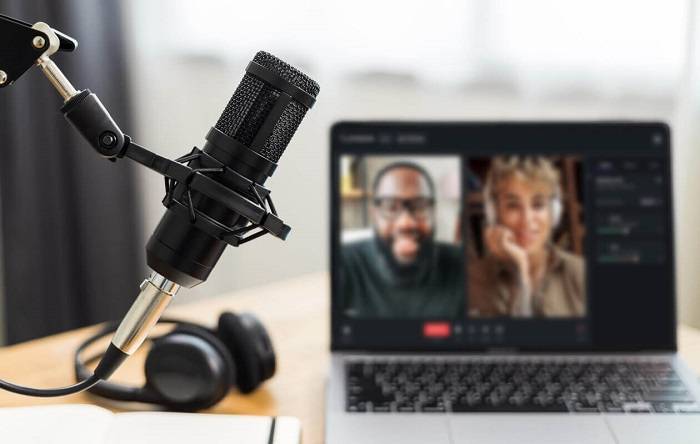
In the age of remote collaboration, harnessing the power of technology is crucial for creating engaging and high-quality podcast content. Whether you’re conducting interviews or co-hosting sessions, your Mac can be a versatile tool to streamline the process. Here’s a comprehensive guide on setting up and conducting podcast interviews or co-hosting sessions using cutting-edge remote podcasting tools.
Selecting the Right Tools: Start by choosing the right software and tools for your remote podcasting needs. Popular options include Zoom, Skype, SquadCast, and Riverside.fm. Each platform has its unique features, so consider factors like audio quality, ease of use, and additional functionalities when making your decision.
Setting Up Your Recording Space: Ensure a quiet and well-lit recording space to maintain professional audio and video quality. Use a good-quality microphone to capture clear and crisp audio. Position your camera at eye level for a more engaging visual experience. Consider using headphones to avoid audio feedback during the recording.
Configuring Audio Settings: Before starting your podcast interview or co-hosting session, configure your audio settings to ensure optimal sound quality. Adjust microphone sensitivity, eliminate background noise, and test your audio levels to prevent any technical glitches during the recording.
Recording with Remote Participants: Familiarize yourself with the recording features of your chosen platform. Ensure that all participants have stable internet connections and test the audio and video quality before starting the recording. Some platforms offer separate audio tracks for each participant, allowing for easier editing in post-production.
Enhancing Communication: Implement clear communication practices with your remote guests or co-hosts. Provide a brief agenda before the recording to set expectations and outline the topics you’ll cover. Use video conferencing features to facilitate visual cues and maintain a more personal connection during the session.
Editing and Post-Production: After the recording, use editing software like Audacity or GarageBand to fine-tune the audio and remove any unwanted elements. Edit out pauses, awkward transitions, or background noise to enhance the overall quality of your podcast. Pay attention to the pacing and flow to keep your audience engaged.
Uploading and Publishing: Once your podcast episode is polished and ready, upload it to your preferred hosting platform, such as Libsyn, Podbean, or Anchor. Optimize your episode title, description, and tags for search engine optimization to reach a wider audience. Share the episode on social media and across relevant platforms to maximize its visibility.
Continuous Improvement: Regularly evaluate your podcasting setup and seek feedback from your audience. Stay updated on the latest remote podcasting tools and techniques to enhance the quality of your content. Experiment with different formats, guests, and topics to keep your podcast fresh and engaging.
Accessibility and Inclusivity in Podcasting: Mac Edition

Accessibility Features on Mac: Mac computers come equipped with a range of built-in accessibility features that can enhance the inclusivity of your podcast content. Explore features such as VoiceOver, which provides spoken descriptions of on-screen elements, making your podcast accessible to individuals with visual impairments. Ensure that your podcast website and accompanying materials are designed with accessibility in mind, using alt text for images and providing clear navigation.
Transcription Services: To cater to a wider audience, consider incorporating transcription services into your podcasting workflow. Services like Otter.ai, Descript, or Rev can automatically transcribe your spoken words into text. Providing transcripts alongside your podcast episodes not only makes your content accessible to the hearing-impaired but also benefits those who prefer reading or need to reference specific information from your episodes.
Captioning for Videos: If your podcast involves video content, make use of captioning tools to ensure accessibility for the deaf and hard of hearing community. Platforms like YouTube offer automatic captioning, but it’s advisable to review and edit the captions for accuracy. Including well-synced captions enhances the overall viewer experience and ensures that your content is accessible to a broader audience.
Inclusive Language and Content: Pay attention to the language and content of your podcast to make it more inclusive. Be mindful of using gender-neutral language and avoid assumptions about your audience. Cover a diverse range of topics and include voices from various backgrounds to ensure that your content resonates with a broad spectrum of listeners.
Engage with Your Audience: Actively seek feedback from your audience on the accessibility of your podcast. Encourage listeners to share their experiences and suggestions for improvement. Consider creating a dedicated feedback channel or survey to collect insights on how you can make your content more accessible and inclusive.
Community Engagement: Foster a sense of community around your podcast by creating spaces for discussion and interaction. Utilize social media platforms, forums, or dedicated online communities where listeners can share their thoughts and connect with each other. This not only enhances the overall podcast experience but also allows you to gain valuable insights into the diverse needs and preferences of your audience.
Collaborate with Diverse Guests: Actively seek out and invite guests from diverse backgrounds to bring a variety of perspectives to your podcast. Having a range of voices and experiences on your show not only enriches the content but also attracts a more diverse audience. Ensure that your podcast reflects the inclusivity you aim to promote.
Educate Yourself on Inclusivity: Stay informed about best practices for creating inclusive content and podcasts. Attend workshops, webinars, or read resources on inclusive language, representation, and accessibility in media. This ongoing education will empower you to continually improve the accessibility of your podcast and contribute positively to the diverse landscape of podcasting.
Related Posts:
SM48 vs. SM58: Unveiling the Secrets of Shure’s Dynamic Microphones
Unveiling the Price Symphony: How Much Does a Microphone Cost in 2023?
FAQs
Can I use GarageBand for podcasting on my Mac, even as a beginner? A1: Absolutely! GarageBand is an excellent starting point for beginners, offering a user-friendly interface and powerful editing tools.
How much does Logic Pro X cost, and is it worth the investment? A2: Logic Pro X comes with a one-time purchase cost, and for serious podcasters seeking professional-grade features, it’s a worthwhile investment in the long run.
Are there any free podcast hosting platforms for Mac users? A3: While many podcast hosting platforms require a subscription, some offer free plans with limited storage and features. Explore options like Anchor and Podbean.
Can I edit my podcast on-the-go using Mac-compatible mobile apps? A4: Yes, several mobile apps for iOS, such as Ferrite Recording Studio, allow you to edit and produce podcasts directly from your iPhone or iPad.
Embarking on your podcasting journey as a Mac user opens up a world of possibilities. With the right software and tools, you can create, edit, and share your unique voice with a global audience. Whether you’re a seasoned podcaster or just starting, the Mac ecosystem provides a supportive environment for bringing your creative vision to life. Embrace the power of podcasting on your Mac and let your voice be heard!