


Table of Contents
With the rise in podcast consumption, Spotify has become a go-to platform for millions of users worldwide. However, managing your podcast library’s visibility might be a concern for privacy-conscious users or those seeking a more curated experience. This comprehensive guide aims to unravel the methods and tips to hide podcasts on Spotify, ensuring you control what’s visible and what’s not in your feed. Whether you wish to keep personal podcasts private or streamline your listening experience, understanding these techniques can make your Spotify journey more personalized.
Understanding Privacy Settings on Spotify
Sensitive or Explicit Content: Some podcasts may contain sensitive or explicit material unsuitable for certain demographics, such as young children or individuals sensitive to particular topics. Providing the option to hide these podcasts ensures that users can filter out content that might be inappropriate or uncomfortable for them or others in their household.
Privacy and Personalization: Users may prefer to curate their listening experience based on their personal interests, beliefs, or preferences. Allowing the hiding of podcasts enables individuals to maintain privacy in their choices and tailor their content consumption to align with their values or avoid judgment from others.
Workplace or Educational Environments: In professional or educational settings, employees or students might use podcast platforms during work or study hours. Hiding certain podcasts can help maintain a focused and productive environment by filtering out distractions or content unrelated to the work or study objectives.
Cultural Sensitivities and Diverse Audiences: Podcasts vary widely in terms of cultural context, language, or sensitive subject matter. Allowing users to hide podcasts acknowledges the diverse nature of listeners, respecting cultural differences and ensuring that content remains inclusive and respectful to a global audience.
Guest or Limited Series: Podcast platforms often feature guest appearances or limited series that may not align with a user’s long-term interests. Allowing users to hide or temporarily mute such content prevents clutter in their feed, focusing on podcasts that are more relevant and engaging to their preferences.
Managing Subscriptions and Recommendations: Some users may use the hiding feature as a way to manage their subscriptions or refine the platform’s recommendation algorithms. By hiding podcasts they’re no longer interested in, users can fine-tune their content suggestions and discover more relevant content tailored to their tastes.
Parental Controls: For parents or guardians, the ability to hide podcasts serves as a valuable parental control feature. It helps regulate what content is accessible to children, ensuring they only encounter age-appropriate material.
Steps to Hide Podcasts on Spotify Mobile

Detailed instructions for iOS and Android users can significantly enhance the user experience. For iOS users, it’s crucial to provide clear steps tailored to their operating system. This might include specifics on navigating settings, accessing certain menus, or utilizing iOS-exclusive features. Similarly, for Android users, instructions should cater to the diverse ecosystem of Android devices, elucidating steps for different versions of the OS and various device manufacturers.
To further aid users, incorporating screenshots or creating comprehensive step-by-step guides can make the instructions more accessible and user-friendly. Screenshots provide visual cues, aiding in the understanding of each step, while step-by-step guides break down complex processes into manageable tasks. Visual aids can help users verify if they are following the instructions correctly and reassure them of their progress.
When creating these visual aids, ensure they are high-quality, clear, and accurately correspond to the steps described. Use annotations or highlights to draw attention to specific areas or actions on the screen, making it easier for users to follow along. Additionally, consider different learning styles and provide alternative formats, such as videos or infographics, to accommodate diverse user preferences.
Using Spotify Desktop: Hiding Podcasts
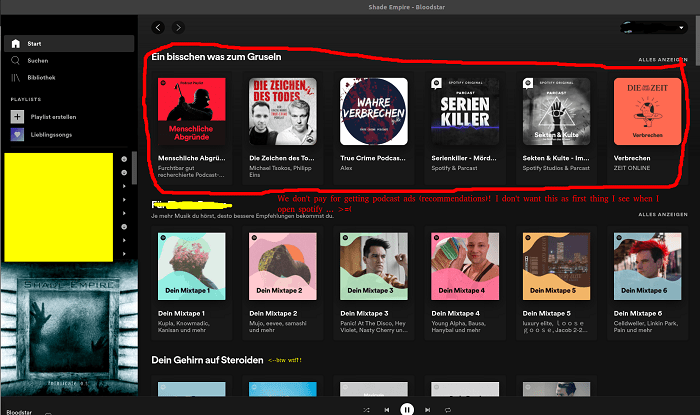
Concealing Podcasts on the Desktop App:
Episode Archive: Most podcast apps offer an archive feature that allows you to hide listened or downloaded episodes. Look for this option in the settings or individual podcast settings.
Custom Playlists: Create playlists for specific themes or moods. Move podcasts you want to conceal into these playlists and keep them collapsed or hidden when not in use.
Mark as Played: Many apps have a “mark as played” feature. Once listened to, mark episodes as played to minimize clutter.
Folder or Grouping Option: Some apps allow you to create folders or groups for podcasts. Move less frequently listened to or completed podcasts into these groups to tidy up your main feed.
Hide Unsubscribed Channels: If your app allows, hide podcasts you’re no longer subscribed to. This declutters your feed and makes it easier to find what you’re currently interested in.
Tips for Organizing Your Library Effectively:
Categorize by Theme/Interest: Create categories or tags based on genres, topics, or interests. Organize podcasts accordingly to quickly find content based on your mood or preference.
Regular Cleanup: Periodically review your subscriptions. Unsubscribe from inactive or less enjoyable podcasts to keep your library fresh and relevant.
Use Favorites/Bookmarks: Mark favorite episodes or podcasts for easy access. This helps maintain a curated list of content you love.
Episode Queues: Utilize the queue feature to line up episodes for uninterrupted listening. This helps prioritize what you want to listen to next.
Auto-Download Settings: Customize auto-download settings for podcasts you frequently listen to. This ensures new episodes are available offline without cluttering your library.
Advanced Organizational Techniques:
Custom Tags and Labels: Some apps allow custom tags or labels. Utilize these to create detailed categorizations beyond basic genres.
Time-Based Playlists: Create playlists or filters based on time lengths. For example, “Short Commute” or “Long Run” playlists for tailored listening.
Collaborative Playlists: Some platforms enable collaborative playlists. Share and collaborate on podcast lists with friends or like-minded individuals.
Customizing Visibility: Individual Episodes vs. Entire Podcasts
Selective Control: Allows the podcaster to hide individual episodes that might be outdated, contain errors, or are no longer relevant without impacting the visibility of the entire series.
Maintaining Series Integrity: Enables the retention of the complete series while eliminating problematic or sensitive episodes, preserving the overall value and coherence of the podcast.
Enhanced Customization: Provides a more tailored experience for listeners who can skip certain episodes without losing access to the rest of the content.
Managing Hidden Content: Access and Restoration
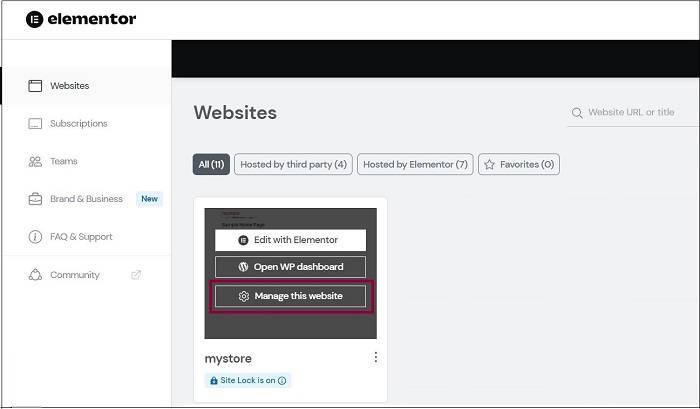
Explore App Settings: Look for a section labeled “Settings,” “Account,” or “Preferences” within your podcast app. Hidden podcasts might be listed under a separate category, such as “Hidden” or “Archive.”
Toggle Visibility: Within the app settings, search for an option that controls the visibility of podcasts. This might involve a simple toggle switch next to each podcast or a broader setting to show/hide specific podcasts.
Search Feature: Some apps offer a search feature within the hidden section. If available, use this tool to search for the hidden podcast by name. Once found, you may have the option to unhide it directly from the search results.
Re-Subscribe: In some cases, hidden podcasts might not be visible in your library but remain subscribed. Try searching for the podcast by name in the app’s search bar and re-subscribe to it. This action might restore its visibility in your library.
Check Filters or Sorting Options: Your app might have filters or sorting options that affect the visibility of podcasts. Ensure that your filters are set to display all podcasts, including those that are hidden.
Account Sync: If you’re using multiple devices or platforms, ensure that your account is synchronized. Sometimes, hidden podcasts might appear or disappear due to sync issues between devices.
Contact Support: If none of these steps work, consider reaching out to the app’s support team for guidance. They might provide specific instructions tailored to your situation or app version.
Privacy Concerns and Solutions

Data Encryption: Employ end-to-end encryption techniques to secure user information, including browsing history, login credentials, and any shared data. This encryption prevents unauthorized access and maintains data integrity.
Limited Data Collection: Minimize the collection of unnecessary user data. Only gather essential information required for the app’s functionalities, and ensure transparency by clearly stating what data is being collected and why.
User Anonymity: Consider implementing features that allow users to access and utilize the app without revealing personally identifiable information. Utilize pseudonyms or anonymization techniques to protect user identities.
Explicit Consent for Data Sharing: Obtain explicit consent from users before sharing their data with third parties. Provide granular controls that empower users to choose what information they want to share and with whom.
Regular Security Audits: Conduct routine security audits and assessments to identify and mitigate potential vulnerabilities. This helps in staying updated with the latest security standards and addressing any loopholes promptly.
Secure Authentication Methods: Implement robust authentication mechanisms such as multi-factor authentication (MFA) to prevent unauthorized access to user accounts. Encourage users to use strong, unique passwords and regularly update them.
Privacy Settings: Offer comprehensive privacy settings within the app. Allow users to customize their privacy preferences, control who can access their information, and manage visibility settings for their activity within the app.
Data Retention Policies: Establish clear and concise data retention policies. Regularly purge unnecessary data and provide users with options to delete or anonymize their data permanently if they choose to do so.
Educational Resources: Educate users about the importance of privacy and provide resources within the app on best practices for safeguarding personal data. Offer tips and guidelines for users to protect themselves online.
Response Plan for Data Breaches: Have a well-defined incident response plan in place in case of a data breach. This plan should outline steps to contain the breach, notify affected users promptly, and collaborate with relevant authorities to address the issue.
Effect on Recommendations and Discoverability
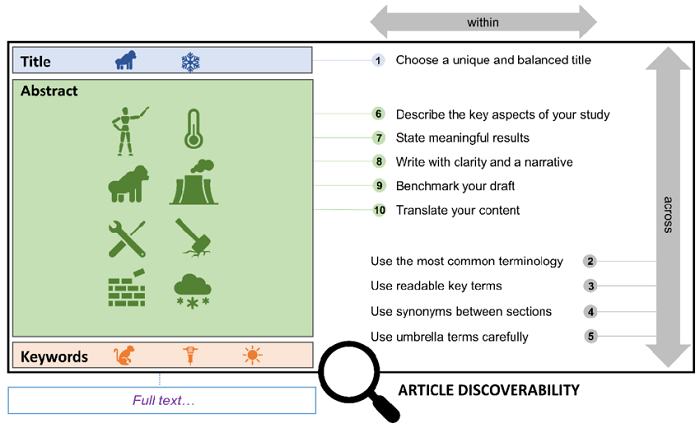
Hiding podcasts on Spotify can have a significant impact on the recommendations and personalized content users receive. When users actively hide or remove podcasts from their listening history or saved playlists, it affects the algorithms that Spotify employs to curate suggestions. These algorithms rely heavily on user behavior, including listening history, liked content, and saved playlists, to generate personalized recommendations.
By hiding podcasts, users limit the data points available to Spotify’s recommendation system. As a result, the platform might struggle to accurately understand the user’s preferences and interests. This can potentially lead to less accurate recommendations and a less diverse range of content being suggested.
However, this action also serves a crucial purpose in maintaining user privacy. Many individuals prioritize their privacy and may choose to hide podcasts to prevent the platform from making assumptions or sharing their listening habits. This balance between privacy and content discovery is crucial for platforms like Spotify to respect user preferences while still offering personalized experiences.
To mitigate the potential impact of hiding podcasts on recommendations, Spotify continuously refines its algorithms. It explores alternative methods, such as incorporating broader genre preferences, trending podcasts, or relying on explicit user inputs (like direct searches or explicit likes/dislikes) to enhance recommendations. These adjustments aim to offer users a more tailored experience even when certain data points are restricted due to privacy preferences.
Additionally, Spotify allows users to control their privacy settings, providing options to manage data collection and personalize recommendations. Users can fine-tune their preferences, adjust privacy settings, or even reverse their choices regarding hidden podcasts to better align with their evolving interests and privacy concerns.
Alternatives to Hiding: Creating Private Playlists
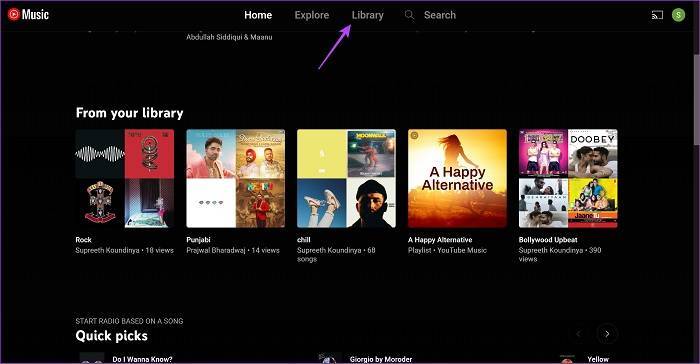
Customized Content Curation: Users have the autonomy to curate their private playlists, organizing podcasts based on their preferences, interests, or themes, thereby creating a personalized listening experience.
Enhanced Privacy Control: Private playlists provide a middle ground between complete visibility and complete concealment. Users can keep sensitive or niche content away from public view while still accessing it easily.
Shareable Selectively: Users can choose to share their private playlists with specific individuals or groups, allowing for controlled content sharing while maintaining privacy.
Organizational Efficiency: Private playlists can serve as a more organized way to manage content. Users can create playlists based on various categories, moods, or activities, streamlining their listening experience.
Management Complexity: Curating and managing multiple private playlists could become cumbersome, especially for users with a vast array of content preferences. It might require ongoing maintenance and organization.
Limited Visibility: While private playlists offer privacy, they might limit content discoverability for users who wish to explore new podcasts. It can restrict serendipitous discovery or recommendations based on shared interests.
Platform Dependency: The functionality of private playlists might vary across different podcast platforms or streaming services. Some platforms might offer robust playlist features, while others may have limitations on playlist size or sharing options.
Potential Privacy Risks: In some cases, sharing private playlists could inadvertently expose content to unintended individuals if privacy settings are not managed carefully, compromising the desired level of confidentiality.
Community Insights: User Experiences and Recommendations

Sharing user experiences and tips from the Spotify community fosters a vibrant exchange of insights and knowledge. Anecdotes or testimonials on managing podcast visibility serve as valuable nuggets of wisdom, aiding both seasoned creators and newcomers in navigating the dynamic landscape of podcasting.
In this collaborative space, members often discuss innovative strategies that enhance podcast visibility, ranging from optimizing titles, descriptions, and keywords for improved discoverability to leveraging social media platforms for broader outreach. Community-driven discussions frequently delve into the nuances of creating engaging podcast artwork, crafting compelling episode descriptions, and harnessing the power of cross-promotion.
Additionally, firsthand accounts from podcasters who have successfully navigated Spotify’s algorithms and playlists shed light on the importance of consistency in content quality, audience engagement, and the strategic use of calls-to-action within episodes. These insights not only provide actionable steps for boosting visibility but also underscore the significance of building authentic connections with listeners.
Moreover, within the Spotify community, members often exchange tips on utilizing analytics tools effectively. Understanding listener demographics, tracking listener behavior, and deciphering engagement metrics contribute significantly to refining content strategies and refining promotional efforts.
The beauty of this exchange lies in the diversity of experiences and perspectives shared, as podcasters at different stages of their journeys chime in with unique challenges and success stories. It’s a collaborative tapestry where creativity, innovation, and practical advice intertwine, empowering podcasters to navigate the competitive landscape and elevate their presence within the vast realm of audio content.”
Future Updates and Features: What to Expect

Speculation on potential updates related to podcast privacy settings may revolve around enhancing user control over their listening habits and data. One possible improvement could involve granular privacy settings that allow listeners to manage the visibility of their podcast activity, such as whether their listening history is shared with others or used for personalized recommendations. This might include options to toggle visibility settings for specific episodes, playlists, or even the entire listening history.
Moreover, there could be advancements in user customization, where listeners can curate their listening experience more precisely. For instance, features allowing users to create custom playlists by combining episodes from different podcasts or organizing them based on themes or topics. Additionally, providing tools for users to control playback speeds, adjust equalizer settings, or add personal notes or bookmarks within episodes could be areas for potential enhancement.
Furthermore, improvements might include increased transparency regarding data usage and collection practices. Podcast platforms could offer clearer explanations about how user data is utilized for recommendations, advertising, or any other purposes, giving users more informed choices about what data they share.
Another area for enhancement could involve privacy-focused innovations, such as options for anonymous listening or the ability to mask certain listening activities from being tracked or used for targeted marketing purposes.
Related Posts:
- Demystifying OTG Cable Meaning: Unveiling its Functions, Uses, and Compatibility
- Unlocking Knowledge: Exploring the Top Educational Podcasts on Spotify for Enriching Learning Experiences
- Unlocking the Secrets of Spotify Podcast Charts: A Comprehensive Guide to Rankings, Insights, and Optimization Strategies
FAQs:
Why should I hide podcasts on Spotify?
Discussing various reasons, such as privacy concerns or personal curation.
Can others still see my hidden podcasts?
Clarifying visibility settings for public and private profiles.
Will hiding podcasts affect my listening experience?
Explaining the impact on recommendations and content discovery.
Mastering the art of hiding podcasts on Spotify can significantly enhance your user experience. Whether it’s about maintaining privacy or refining your listening journey, the control lies in your hands. By utilizing the discussed techniques and understanding the platform’s settings, you can curate your podcast library to align perfectly with your preferences.
Remember, while hiding podcasts offers privacy, it’s equally crucial to balance this with the joy of discovering new content. Keep exploring, tweaking settings, and personalizing your Spotify experience for an enriched journey into the world of podcasts.