


Table of Contents
Is xbox one backwards compatible? Yes, xbox one is backwards compatible with select xbox 360 games. Xbox one is a popular gaming console developed by microsoft, which was released in 2013.
The console is the third generation of the xbox family and boasts an extensive library of games. However, some users were disappointed as many xbox 360 games were not playable on the xbox one. To address this, microsoft introduced backwards compatibility with select xbox 360 games in 2015.
This meant that users could now play their favorite xbox 360 games on their xbox one console without needing to own both consoles. The feature was a hit among gamers, especially those who wanted to replay their favorites or missed out on games from the previous generation console. In this article, we will provide more information about xbox one backwards compatibility and how it works.
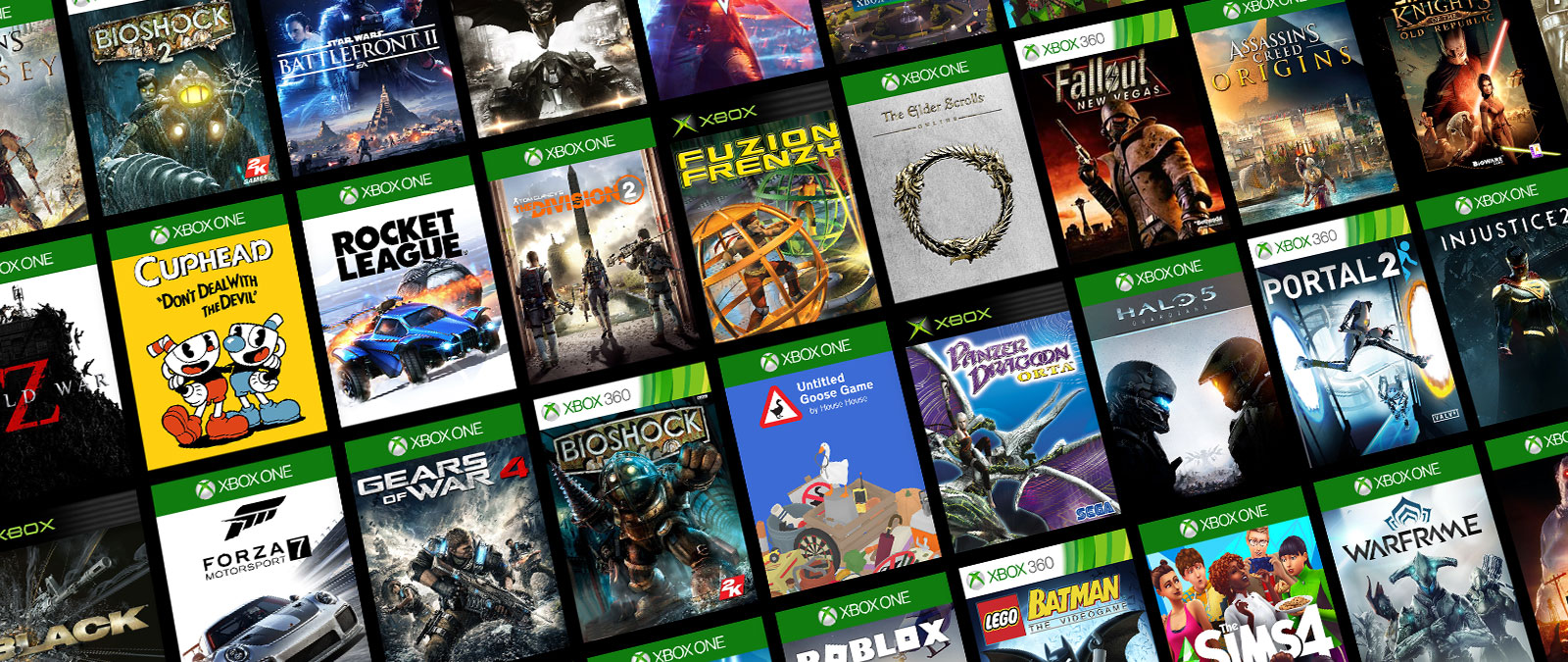
Credit: www.xbox.com
How Does Xbox One Backwards Compatibility Work?
Xbox One Backwards Compatible: How Does It Work?
If you’re a gamer, you might be familiar with the concept of playing old games on newer consoles. One such example is xbox one’s backward compatibility, which allows players to play xbox 360 and even some original xbox games on their xbox one consoles.
In this blog post, we’ll explore how xbox one backward compatibility works, list the compatible xbox 360 and original xbox games, and explain how to play them on your xbox one.
Explanation Of Xbox 360 And Original Xbox Games On Xbox One
Xbox one backward compatibility is a feature that allows xbox one users to play selected xbox 360 and original xbox games on their xbox one consoles. This feature exists thanks to the backward compatibility engine developed by xbox, which allows older games to be played on newer hardware.
The backward compatibility engine essentially emulates the older hardware, allowing the xbox 360 and original xbox games to be played on the xbox one hardware. This means that even though you’re playing an older game, your xbox one console is emulating the hardware required to play it.
List Of Xbox 360 And Original Xbox Games Compatible On Xbox One
As of 2021, there are more than 600 xbox 360 and original xbox games compatible with xbox one backward compatibility. Some of the popular xbox 360 games that you can play on xbox one include red dead redemption, halo: reach, and fallout 3, among others.
For original xbox games, some popular titles include star wars: knights of the old republic, ninja gaiden black, and fable, among others.
How To Play Xbox 360 And Original Xbox Games On Xbox One
To play xbox 360 and original xbox games on your xbox one, there are two methods:
- Disc-based games: If you own a physical copy (disc) of the xbox 360 or original xbox game, you can insert it into your xbox one console’s disc drive. You’ll then be prompted to download an update for the game, which will make it compatible with your xbox one console. Once the update is complete, you can play the game just like a regular xbox one game.
- Digital games: If you own a digital copy of an xbox 360 or original xbox game, you can go to the microsoft store on your xbox one and search for the game. If the game is backward compatible, you can download it and play it on your xbox one console.
Xbox one backward compatibility allows players to play selected xbox 360 and original xbox games on their xbox one consoles. With more than 600 games available, players can enjoy some of their favorite classic games on modern hardware.
How To Play Xbox 360 And Original Xbox Games On Xbox One
Is xbox one backwards compatible: how to play xbox 360 and original xbox games on xbox one
Xbox one, the eighth-gen video gaming console from microsoft, is one of the most popular gaming consoles available on the market. This high-tech gaming console has some backward compatibility features that allow gamers to play games from the previous xbox, which would otherwise be impossible to play.
Requirements For Playing Xbox 360 And Original Xbox Games On Xbox One
To play xbox 360 and original xbox games on xbox one, there are some requirements that you need to fulfill, including:
- An internet connection is necessary to download the updates needed to run the games.
- Xbox one console needs to have sufficient hard drive space to store the game.
- Compatible controller will be needed, and that varies based on the game you wish to play.
- You must have an xbox live account to purchase the game you want to play.
Step-By-Step Guide On How To Play Compatible Games
Here’s a simple step-by-step guide to help you play xbox 360 and original xbox games on xbox one:
- First, connect your xbox one console to the internet.
- Update your console by going to settings, then system, then updates.
- Now, insert the xbox 360 or original xbox game disc. Your console will prompt installation and download of necessary updates.
- To play the game, go to my games and apps. Here, you will see the backward-compatible game. Select it and click on start.
You can also play backward-compatible xbox 360 and original xbox games on xbox one by downloading it from the microsoft store. It is important to note that some xbox 360 and original xbox games are not compatible with xbox one due to technical reasons.
Which Xbox 360 And Original Xbox Games Are Not Compatible With Xbox One?
Here are some xbox 360 and original xbox games that are not compatible with xbox one:
- Games that require hddvd playback.
- Games that require kinect. But, you can use a kinect adapter to play some games.
- Games that require special controllers not available on xbox one.
Xbox one’s backward compatibility is a game-changer, allowing gamers to relive their favorite titles from previous generations. By following the simple steps outlined in this post, playing backward-compatible games on xbox one has never been easier.
Which Xbox 360 And Original Xbox Games Are Not Compatible With Xbox One?
Can You Play Xbox One Games On Xbox 360 Or Original Xbox?
Are you wondering if you can play your favorite xbox one games on the xbox 360 or the original xbox? Unfortunately, the answer is no. Xbox one games are only compatible with xbox one consoles. However, xbox 360 and original xbox games can be played on select xbox one consoles through backwards compatibility.
List Of Games That Are Not Compatible With Xbox One
Despite the huge list of xbox 360 and original xbox games that are backwards compatible with xbox one, there are still some classic titles that cannot be played on the newer console. The list includes:
- Games that require specific hardware: Some xbox 360 games were designed to use specific hardware peripherals, such as the microphone for “rock band” or the kinect sensor for “kinect sports.” These games will not work on xbox one since these peripherals are not compatible with the console.
- Games that require a hard drive: Some xbox 360 games require an xbox 360 hard drive to run. Since the xbox one does not have a built-in xbox 360 hard drive, these games cannot be played on xbox one.
- Games with region locks: Certain xbox 360 and original xbox games were region-locked, meaning they could only be played in certain regions of the world. If you own a region-locked game that is not available in your country, you will not be able to play it on xbox one.
Reasons Why Some Games Are Not Compatible
While many xbox 360 and original xbox games can now be played on xbox one, not all titles are backward compatible. Here are some reasons why:
- Lack of licensing agreements: Xbox needs to have a licensing agreement with game developers to include their title for backwards compatibility.
- Technical limitations: Some xbox 360 and original xbox games may not run on xbox one due to technical limitations or differences in hardware architecture.
- Poor game performance: Xbox may choose not to include a game for backwards compatibility if it runs poorly on the newer console or does not meet their performance standards.
As a result, even popular and critically acclaimed games may not be backward compatible due to these constraints. It is important to check the official xbox website to ensure your favorite game is available before making any purchases.
Can You Play Xbox One Games On Xbox 360 Or Original Xbox?
Xbox one is one of the most popular gaming consoles worldwide. However, one question that pops up frequently is whether you can play xbox one games on xbox 360 or the original xbox. In this section, we’ll explore the reasons why xbox one games are not compatible with xbox 360 or the original xbox, using h3 subheadings in markdown format.
Explanation Of Why Xbox One Games Cannot Be Played On Xbox 360 Or Original Xbox
There are several reasons why xbox one games cannot be played on xbox 360 or the original xbox.
- Hardware differences: The specifications of xbox one are entirely different from those of xbox 360 or the original xbox. As a result, the hardware architecture of xbox one is not compatible with xbox 360 or the original xbox.
- Software architecture: Xbox one games are developed using updated software and architecture that is not compatible with xbox 360 or the original xbox. The achievements, gameplay, and graphics on xbox one games are dependent on updated architecture and operating systems.
- Directx versions: Xbox one games use updated versions of directx, which are not available on xbox 360 or the original xbox. Directx is a crucial component of windows gaming that supports high-quality graphics and sound.
- Legal constraints: There might be legal reasons why some xbox one games cannot be played on xbox 360 or the original xbox, such as copyrights or licensing.
Xbox one games are not compatible with xbox 360 or the original xbox because of significant differences in hardware and software architecture. Unfortunately, it is not possible to update the firmware or consoles to make them compatible. However, xbox one supports backwards compatibility where xbox 360 games can be played on xbox one.
So, if you’re looking for some retro gaming nostalgia, you can still enjoy playing xbox 360 games on your xbox one console.
Frequently Asked Questions Of Is Xbox One Backwards Compatible
Is Xbox One Backwards Compatible With Xbox 360?
Yes, xbox one is backwards compatible with select xbox 360 games. Microsoft has a program that allows players to check which games are compatible and add them to their libraries.
How Do I Play Xbox 360 Games On Xbox One?
To play xbox 360 games on xbox one, insert the disk or download the game from the store. Some games may require an update, but others will work immediately.
Can I Play Multiplayer Xbox 360 Games On Xbox One?
Yes, xbox one allows you to play multiplayer games with friends who are playing on xbox 360. The game must have online multiplayer capabilities to do so.
Are All Xbox 360 Games Backwards Compatible On Xbox One?
No, not all xbox 360 games are backwards compatible on xbox one. Microsoft has a program that allows players to check which games are compatible and add them to their libraries.
What Happens If I Already Own An Xbox 360 Game That Is Backwards Compatible On Xbox One?
If you already own a backwards compatible game on xbox 360, you can insert the disk or download the game on xbox one for free as long as you are logged into the same account.
Conclusion
The xbox one backwards compatibility feature allows gamers to enjoy an ever-increasing library of older games on the current-gen console. With over 600 games available, the feature promises a rich and diverse gaming experience. However, not all games are included in the compatibility list, and some may not function optimally.
As such, it is important to ensure that the game you wish to play is compatible before committing to purchasing it. There are various ways to check game compatibility, such as using the official xbox website or your console’s games library.
While the feature is not perfect, it is an attractive proposition for those wanting to relive old favourites or try games they might have missed. With the enhanced graphics and improved performance offered by the xbox one, players can enjoy a fresh take on classic titles.